

Accessing View Models
There are two ways that a script can gain access to a View Model and its properties:- Accessing View Models through Context
- View Models as an inputs
If you only need to read, not set view model properties, you can data bind view model property values to script inputs.
For more information see Data Binding Inputs.
Context
Theinit lifecycle function includes a context parameter that gives you access
to your view models. This allows you to read values (strings, enums, lists, etc.), set values,
fire triggers, listen for triggers, and subscribe to value changes.
In addition to view models, Context gives you access to named assets and update scheduling.
View Models as Inputs
You can create an Input that accepts a view model instance, which gives the script access to its properties.1
Create a new View Model
This is in addition to your main view model.In this example, we call it 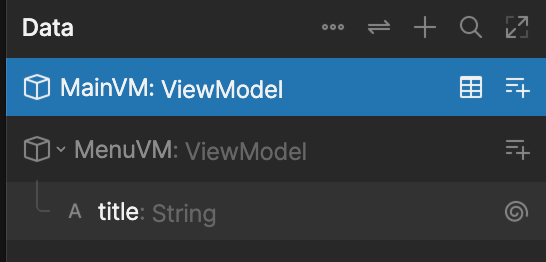
MenuVM and give it a string property called title.2
Create a menu property in your main view model
To be able to reference the instance of 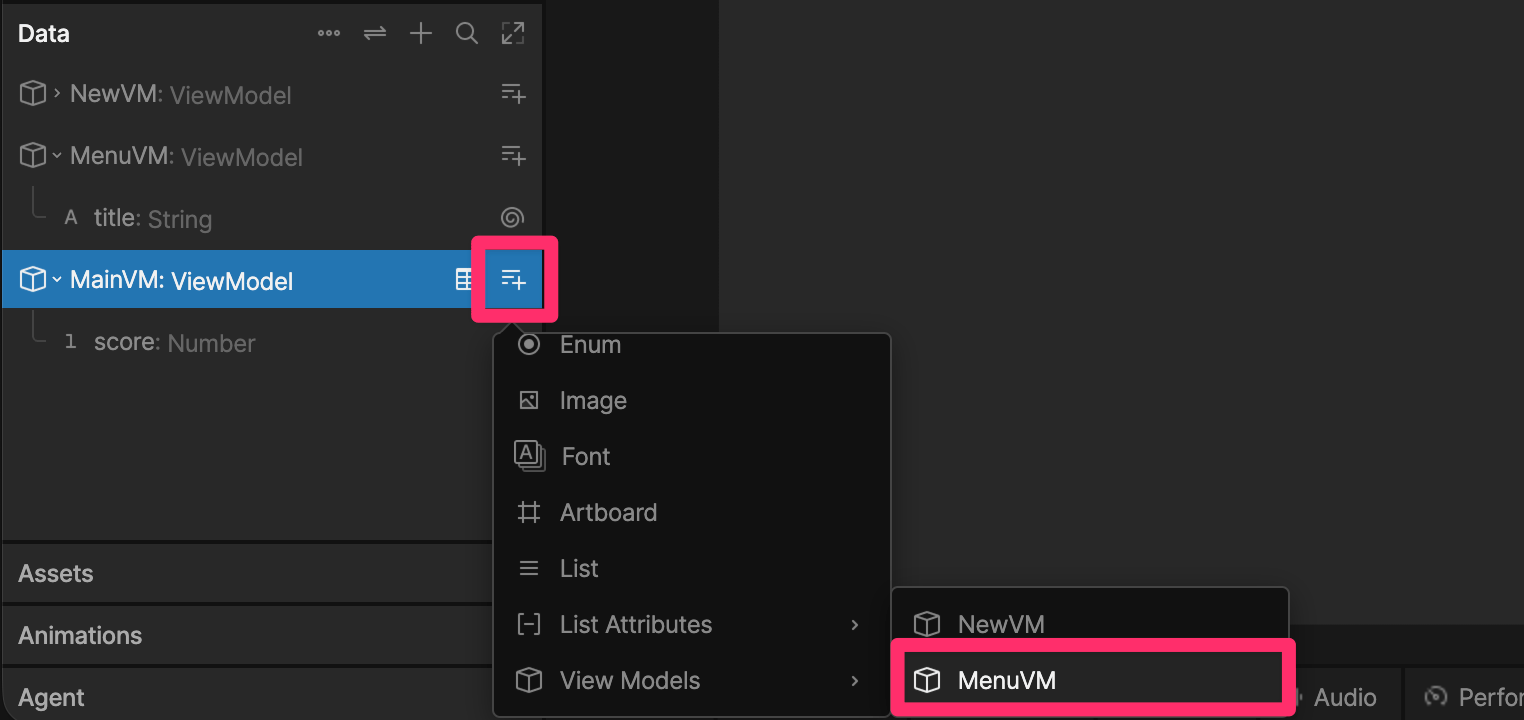
MenuVM in your script, we need to create a myMenu property of type MenuVM in the main view model.3
Add an input to your script
In your script add a new input of type
Data.MenuVM.4
Set the input value
Select the script in your hierarchy and in the Property Group panel of the Inspector, set the
myMenu input to menu.Reading and Setting Properties
The following methods allow you to reference view model properties:Listening for Property Changes
Add a Listener
UseaddListener to listen for triggers or changes to view model properties.